Mountain Share Transfer's online portal allows shareholders to elect to receive a variety of notices through email instead of the traditional delivery method of the US Postal service. Many shareholders prefer this method of receiving information concerning their investments.
In order to select this method of delivery, please first read the instructions contained on this page, then login into our online portal through the link at the end of this section and also found at the bottom of this page.
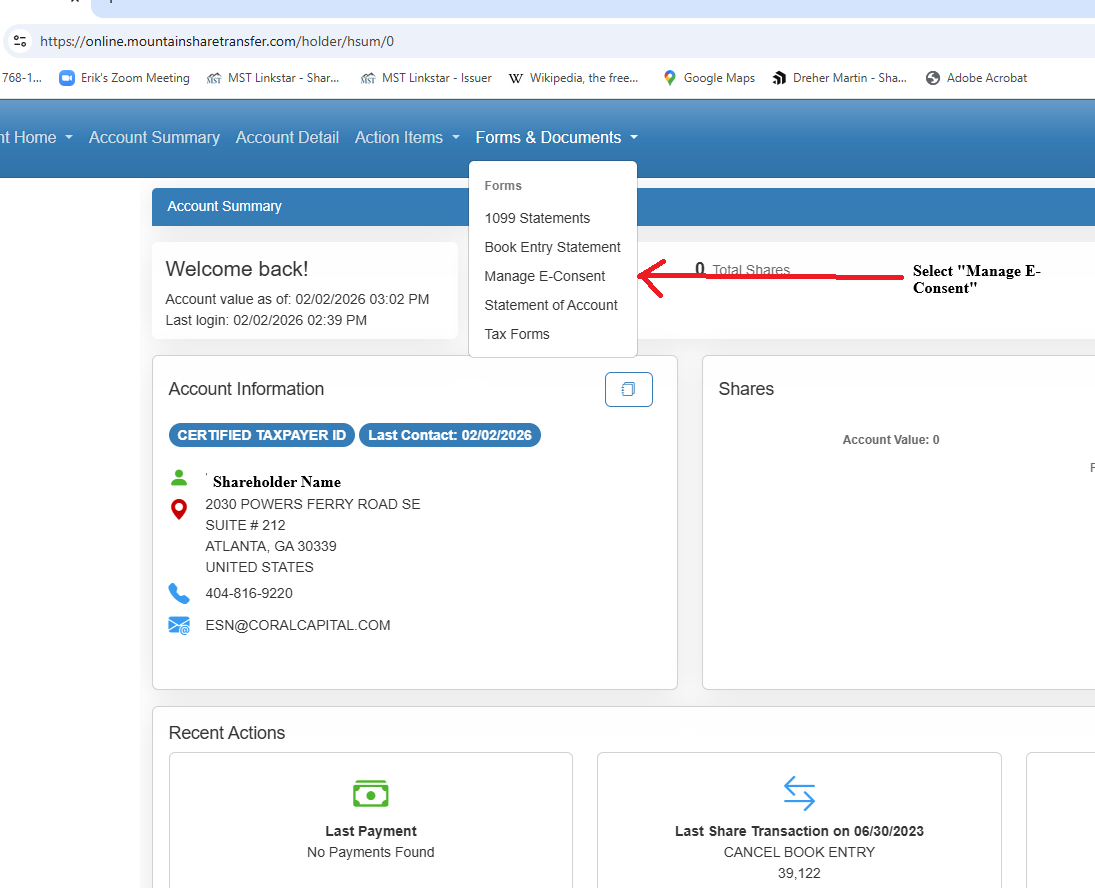
Once you have logged into our online portal, the 1st thing to do is select the class of securities you would like to update. Then please select "Forms and Documents" and then select "Manage E-Consent".
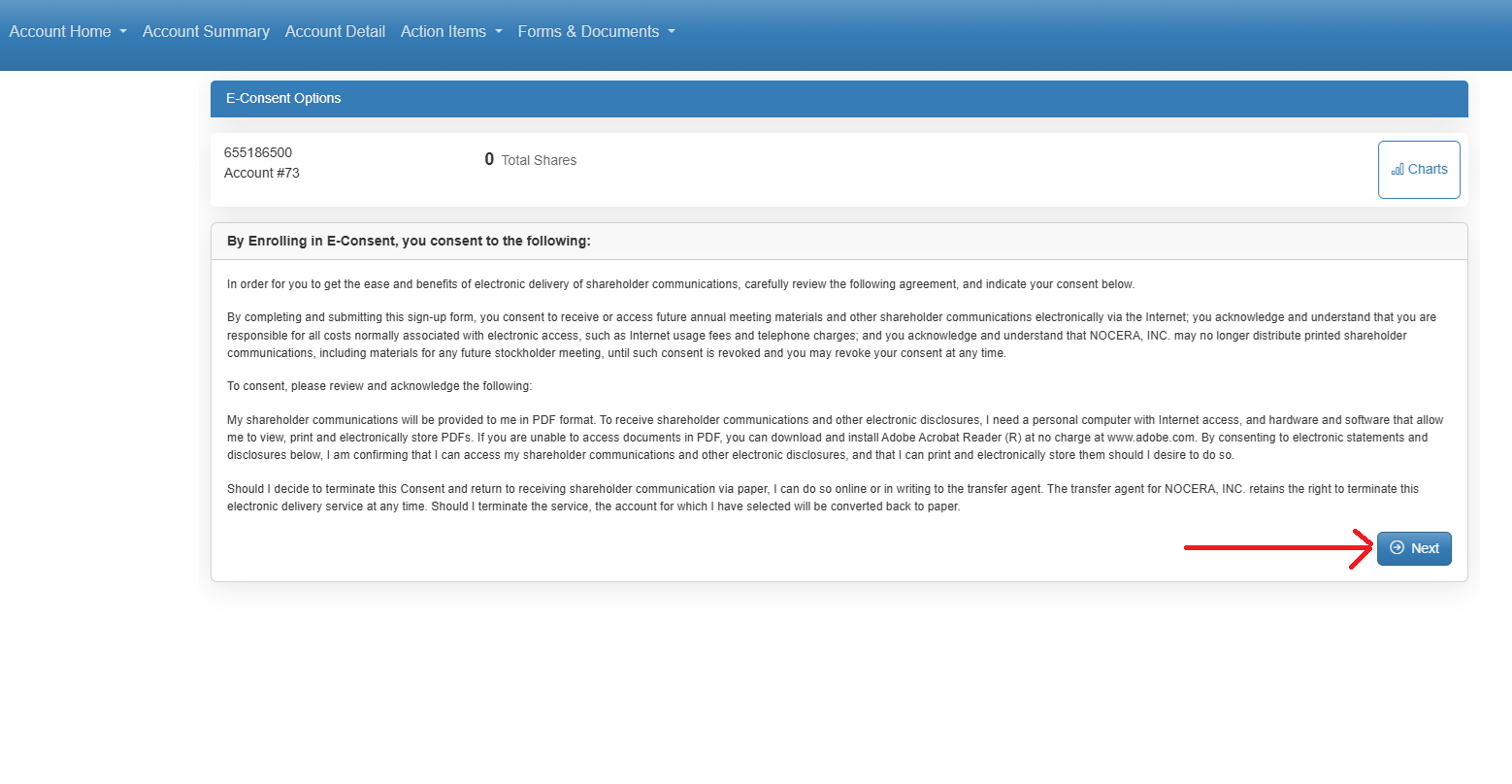
Please read the disclaimer in full. Once you have read the disclaimer, click "Next" in the lower right corner of the screen.
If you have any questions, please feel free to give us a call. We are always here to help.
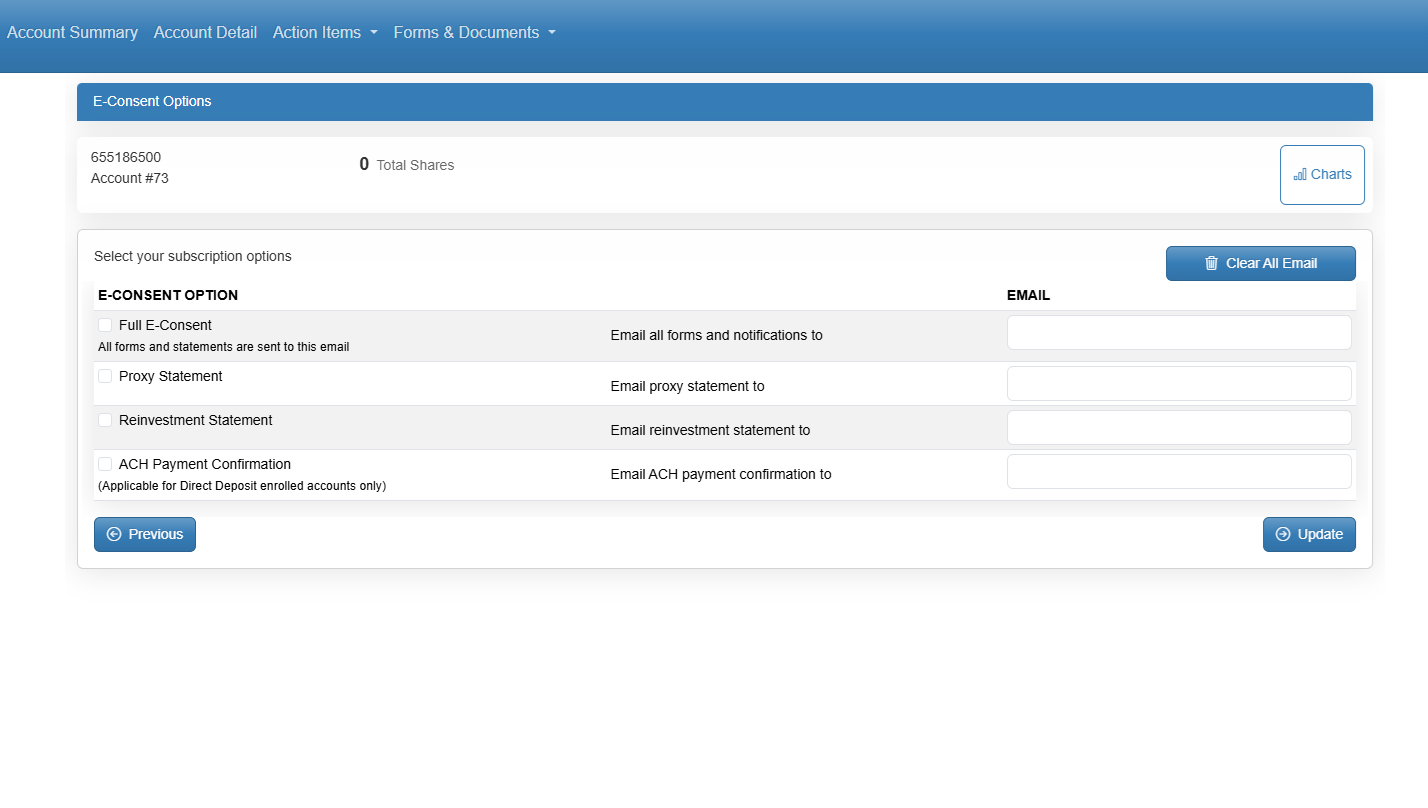
Please select which documents/forms you would like delivered by email. Your options include:
Please note that once you elect to receive notices and documents via. email, you will no longer receive hard copies via. the US Postal Service.